
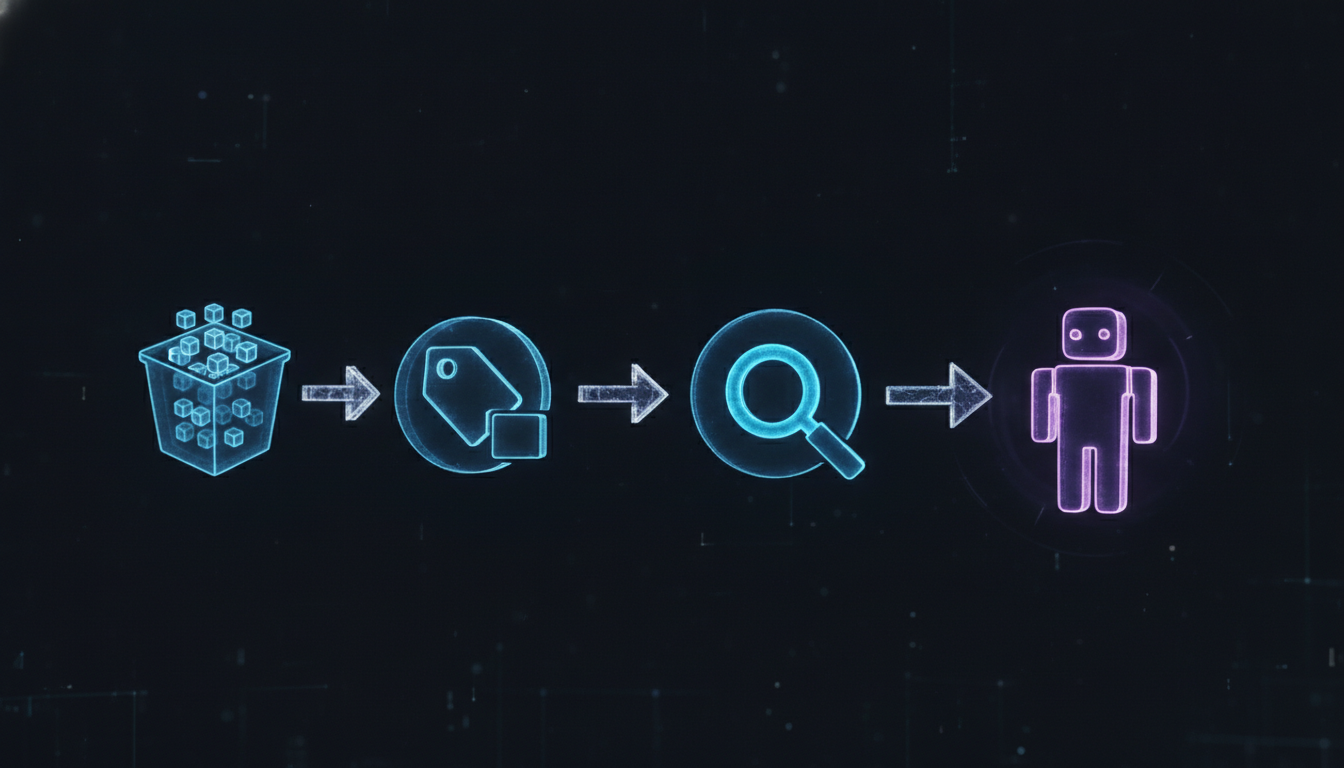
This tutorial walks you through everything you need to get S3 Annotations working end-to-end — from creating a properly configured bucket to annotating objects with structured JSON, querying those annotations to find the right objects, and wiring the whole thing into a Bedrock AgentCore tool so your agent can actually use it. By the end, you’ll have a working pattern you can drop into real workloads. No hand-waving, no “and then some magic happens here.”
Prerequisites
- AWS CLI v2.18+ installed and configured (
aws --versionto verify) - Python 3.11+ with boto3 1.38+ (
pip install boto3 --upgrade) - An AWS account with permissions to create S3 buckets, write IAM policies, and invoke Bedrock
- Bedrock model access enabled for
anthropic.claude-3-5-sonnet-20241022-v2:0in your region (us-east-1 recommended) - The following IAM actions available to your principal:
s3:CreateBucket,s3:PutObject,s3:GetObjectAnnotation,s3:PutObjectAnnotation,s3:QueryObjectsByAnnotation,bedrock:InvokeAgent
Set a shell variable for your bucket name now — you’ll use it throughout:
export ANNOTATION_BUCKET="my-annotated-data-lake-$(aws sts get-caller-identity --query Account --output text)"
export AWS_REGION="us-east-1"
Step 1: Create the S3 Bucket with Versioning Enabled
Annotations are versioned when bucket versioning is on. You want versioning on. A bug in an annotation update pipeline that corrupts your annotation schema is a bad day — a rollback to the previous annotation version is a good one.
-
Create the bucket:
aws s3api create-bucket \
  --bucket "$ANNOTATION_BUCKET" \
  --region "$AWS_REGION" \
  --create-bucket-configuration LocationConstraint="$AWS_REGION"
Note: If you’re in us-east-1, omit the
--create-bucket-configurationflag — that region doesn’t need it. -
Enable versioning:
aws s3api put-bucket-versioning \ --bucket "$ANNOTATION_BUCKET" \ --versioning-configuration Status=Enabled -
Block public access (non-negotiable):
aws s3api put-public-access-block \
  --bucket "$ANNOTATION_BUCKET" \
  --public-access-block-configuration \
    BlockPublicAcls=true,IgnorePublicAcls=true,\
BlockPublicPolicy=true,RestrictPublicBuckets=true
Step 2: Upload Sample Objects
We’ll work with three sample documents representing a minimal financial document corpus. Create some placeholder files locally:
-
Create sample files:
mkdir -p /tmp/s3-annotations-demo echo "Acme Corp Q4 2025 Earnings Report - Revenue: $4.2B" > /tmp/s3-annotations-demo/acme-q4-2025.txt echo "BetaCo Q3 2025 10-K Filing - Net Income: $890M" > /tmp/s3-annotations-demo/betaco-q3-2025.txt echo "Gamma Industries Q4 2025 Annual Report - EBITDA: $1.1B" > /tmp/s3-annotations-demo/gamma-q4-2025.txt -
Upload to S3:
for f in /tmp/s3-annotations-demo/*.txt; do
  filename=$(basename "$f")
  aws s3 cp "$f" "s3://$ANNOTATION_BUCKET/financials/$filename"
  echo "Uploaded: $filename"
done
Step 3: Create and Apply Annotations
Now the good part. Create annotation JSON files for each object and attach them via the CLI.
-
Create annotation file for the first object:
cat > /tmp/s3-annotations-demo/acme-q4-2025-annotation.json << 'EOF' { "schema_version": "1.0", "content_type": "financial_report", "document_metadata": { "entity": "Acme Corp", "fiscal_year": 2025, "quarter": "Q4", "report_type": "earnings", "currency": "USD" }, "processing_state": { "status": "raw", "agent_ready": true, "last_processed": null, "claimed_by": null }, "quality": { "completeness_score": 0.95, "source_verified": true }, "tags": ["earnings", "public-filing", "quarterly"] } EOF -
Apply the annotation:
aws s3api put-object-annotation \ --bucket "$ANNOTATION_BUCKET" \ --key "financials/acme-q4-2025.txt" \ --annotation file:///tmp/s3-annotations-demo/acme-q4-2025-annotation.json -
Create and apply annotation for the second object (already processed — we'll query the difference in a moment):
cat > /tmp/s3-annotations-demo/betaco-q3-2025-annotation.json << 'EOF' { "schema_version": "1.0", "content_type": "financial_report", "document_metadata": { "entity": "BetaCo", "fiscal_year": 2025, "quarter": "Q3", "report_type": "10-K", "currency": "USD" }, "processing_state": { "status": "processed", "agent_ready": false, "last_processed": "2026-06-20T10:00:00Z", "claimed_by": "agent-001" }, "quality": { "completeness_score": 0.88, "source_verified": true }, "tags": ["10-K", "annual", "public-filing"] } EOF aws s3api put-object-annotation \ --bucket "$ANNOTATION_BUCKET" \ --key "financials/betaco-q3-2025.txt" \ --annotation file:///tmp/s3-annotations-demo/betaco-q3-2025-annotation.json -
Annotate the third object (also raw, different quarter):
cat > /tmp/s3-annotations-demo/gamma-q4-2025-annotation.json << 'EOF'
{
  "schema_version": "1.0",
  "content_type": "financial_report",
  "document_metadata": {
    "entity": "Gamma Industries",
    "fiscal_year": 2025,
    "quarter": "Q4",
    "report_type": "annual",
    "currency": "USD"
  },
  "processing_state": {
    "status": "raw",
    "agent_ready": true,
    "last_processed": null,
    "claimed_by": null
  },
  "quality": {
    "completeness_score": 0.91,
    "source_verified": false
  },
  "tags": ["annual", "earnings", "manufacturing"]
}
EOF

aws s3api put-object-annotation \
  --bucket "$ANNOTATION_BUCKET" \
  --key "financials/gamma-q4-2025.txt" \
  --annotation file:///tmp/s3-annotations-demo/gamma-q4-2025-annotation.json
Step 4: Read Back an Annotation
Verify everything landed correctly before building the query layer:
-
Retrieve and pretty-print an annotation:
aws s3api get-object-annotation \
  --bucket "$ANNOTATION_BUCKET" \
  --key "financials/acme-q4-2025.txt" \
  --output json | python3 -c "
import sys, json
response = json.load(sys.stdin)
annotation = json.loads(response['Annotation'])
print(json.dumps(annotation, indent=2))
"
You should see the full JSON structure you wrote in Step 3.

Step 5: Query Annotations to Find Unprocessed Objects
Now we write a Python query that finds only the objects with status == "raw" and agent_ready == true. This is what an agent uses to discover its work queue:
-
Save this as
/tmp/s3-annotations-demo/query_annotations.py:import boto3 import json import os s3 = boto3.client('s3', region_name=os.environ.get('AWS_REGION', 'us-east-1')) bucket = os.environ['ANNOTATION_BUCKET'] def find_ready_documents(content_type: str = "financial_report") -> list: response = s3.query_objects_by_annotation( Bucket=bucket, AnnotationQuery={ "Filter": { "And": [ { "Field": "content_type", "Operator": "Equals", "Value": content_type }, { "Field": "processing_state.status", "Operator": "Equals", "Value": "raw" }, { "Field": "processing_state.agent_ready", "Operator": "Equals", "Value": True } ] } }, MaxKeys=50 ) results = [] for obj in response.get('Objects', []): annotation = json.loads(obj.get('AnnotationSummary', '{}')) results.append({ "key": obj['Key'], "entity": annotation.get('document_metadata', {}).get('entity'), "quarter": annotation.get('document_metadata', {}).get('quarter'), "fiscal_year": annotation.get('document_metadata', {}).get('fiscal_year') }) return results if __name__ == "__main__": docs = find_ready_documents() print(f"Found {len(docs)} documents ready for processing:") for doc in docs: print(f" - {doc['key']} | {doc['entity']} | {doc['quarter']} {doc['fiscal_year']}") -
Run it:
python3 /tmp/s3-annotations-demo/query_annotations.pyExpected output: acme-q4-2025 and gamma-q4-2025 should appear. betaco-q3-2025 should NOT — it has
status: "processed".
Step 6: Wire Into a Bedrock AgentCore Tool
Now the payoff. We expose the annotation query as a tool Bedrock AgentCore can invoke. Save this as /tmp/s3-annotations-demo/agentcore_tool.py:
-
Create the tool definition:
import boto3 import json import os bedrock_agent_runtime = boto3.client('bedrock-agent-runtime', region_name='us-east-1') s3 = boto3.client('s3', region_name='us-east-1') BUCKET = os.environ['ANNOTATION_BUCKET'] # Tool function the agent will call def discover_documents_tool(content_type: str, status: str = "raw") -> str: """ Discovers S3 objects matching annotation criteria. Returns JSON list of matching objects with key metadata. """ response = s3.query_objects_by_annotation( Bucket=BUCKET, AnnotationQuery={ "Filter": { "And": [ {"Field": "content_type", "Operator": "Equals", "Value": content_type}, {"Field": "processing_state.status", "Operator": "Equals", "Value": status}, {"Field": "processing_state.agent_ready", "Operator": "Equals", "Value": True} ] } } ) results = [] for obj in response.get('Objects', []): ann = json.loads(obj.get('AnnotationSummary', '{}')) results.append({ "s3_key": obj['Key'], "bucket": BUCKET, "entity": ann.get('document_metadata', {}).get('entity', 'unknown'), "report_type": ann.get('document_metadata', {}).get('report_type', 'unknown'), "fiscal_year": ann.get('document_metadata', {}).get('fiscal_year'), "quarter": ann.get('document_metadata', {}).get('quarter') }) return json.dumps(results) # Tool schema for AgentCore TOOL_SCHEMA = { "tools": [ { "toolSpec": { "name": "discover_documents", "description": "Queries S3 annotations to discover documents matching specified criteria. Use this to find unprocessed financial reports, documents by entity, or any annotated content.", "inputSchema": { "json": { "type": "object", "properties": { "content_type": { "type": "string", "description": "The type of content to search for, e.g. 'financial_report'" }, "status": { "type": "string", "description": "Processing status filter: 'raw', 'processed', or 'in_progress'", "default": "raw" } }, "required": ["content_type"] } } } } ] } # Invoke the agent with a tool-use loop def run_agent_with_annotation_tool(user_prompt: str): messages = [{"role": "user", "content": [{"text": user_prompt}]}] response = bedrock_agent_runtime.converse( modelId="anthropic.claude-3-5-sonnet-20241022-v2:0", messages=messages, toolConfig=TOOL_SCHEMA ) # Handle tool use in the response while response['stopReason'] == 'tool_use': tool_uses = [b for b in response['output']['message']['content'] if 'toolUse' in b] tool_results = [] for tu in tool_uses: tool_input = tu['toolUse']['input'] result = discover_documents_tool( content_type=tool_input.get('content_type', 'financial_report'), status=tool_input.get('status', 'raw') ) tool_results.append({ "toolResult": { "toolUseId": tu['toolUse']['toolUseId'], "content": [{"text": result}] } }) # Continue the conversation with tool results messages.append({"role": "assistant", "content": response['output']['message']['content']}) messages.append({"role": "user", "content": tool_results}) response = bedrock_agent_runtime.converse( modelId="anthropic.claude-3-5-sonnet-20241022-v2:0", messages=messages, toolConfig=TOOL_SCHEMA ) # Extract final text response for block in response['output']['message']['content']: if 'text' in block: print(block['text']) if __name__ == "__main__": run_agent_with_annotation_tool( "Find all unprocessed financial reports in our S3 data lake and summarize what you found." ) -
Run the agent:
python3 /tmp/s3-annotations-demo/agentcore_tool.pyThe agent will call
discover_documents, receive the annotation query results, and return a natural-language summary of the unprocessed reports it found.
Step 7: Update an Annotation (Claim a Document)
Demonstrate that annotations are mutable — update the processing state to simulate an agent claiming a document:
-
Fetch current annotation, update status, write back:
python3 << 'EOF' import boto3, json, os s3 = boto3.client('s3', region_name='us-east-1') bucket = os.environ['ANNOTATION_BUCKET'] key = 'financials/acme-q4-2025.txt' # Get current annotation current_ann = json.loads( s3.get_object_annotation(Bucket=bucket, Key=key)['Annotation'].read() ) # Update processing state current_ann['processing_state']['status'] = 'in_progress' current_ann['processing_state']['claimed_by'] = 'tutorial-agent-001' current_ann['processing_state']['agent_ready'] = False # Write back s3.put_object_annotation( Bucket=bucket, Key=key, Annotation=json.dumps(current_ann) ) print("Annotation updated. Object is now claimed.") print(json.dumps(current_ann['processing_state'], indent=2)) EOF -
Re-run the query from Step 5. Acme should no longer appear — only Gamma Industries remains in the
rawqueue.python3 /tmp/s3-annotations-demo/query_annotations.py
What You Built
You now have a working end-to-end pattern for S3 Annotations. Specifically:
- A versioned S3 bucket with objects carrying structured JSON annotations
- A query mechanism that lets agents discover work queues without full bucket scans or external metadata stores
- A Bedrock AgentCore tool definition that exposes annotation queries as a native agent capability
- A mutable annotation update pattern that enables distributed agent coordination without a separate task queue service
The pattern scales directly to real workloads. Swap the placeholder text files for actual documents, extend the annotation schema to match your domain, and you've got an AI-navigable data lake running on infrastructure you already own. No new databases. No sync jobs. No 2 AM PagerDuty alerts about your metadata index being out of date.
At Enkompass (enkompass.net), this is our home turf. We pressure-test new AWS services in real client environments the week they drop, so you get the upside without becoming the cautionary tale. If you'd rather have seasoned cloud people handle it instead of learning the hard way at 2 AM, let's talk. Reach out through our contact page or call us directly at +1-828-436-5667 — we'll help you turn this from a someday-project into a done-deal.