

Testing on an AWS Lambda preview runtime is the closest thing you’ll get to a time machine for your serverless stack — you get to run your actual function code against next year’s Node.js or Python months before anyone else has to deal with it. This tutorial walks through deploying a function on the Node.js 26 preview runtime, standing up a matching function on the current GA runtime, and comparing the two head-to-head in a test stage before you write up findings for your team.
Prerequisites
- An AWS account with permission to create Lambda functions and IAM roles
- AWS CLI v2 installed and configured (
aws configurealready run) - Node.js installed locally for packaging a simple test function
- A dedicated non-production AWS account or a clearly tagged test stage — don’t run this against anything production touches
Steps
-
Write a small test function. Keep it simple so you’re testing the runtime, not your business logic. Create
index.mjs:export const handler = async (event) => { const start = process.hrtime.bigint(); const payload = { runtime: process.version, received: event }; const end = process.hrtime.bigint(); return { statusCode: 200, body: JSON.stringify({ ...payload, handlerMicros: Number(end - start) / 1000, }), }; };Zip it up:
zip function.zip index.mjs -
Create an execution role if you don’t already have a test-stage one, with the standard basic execution policy attached:
aws iam create-role \ --role-name lambda-preview-test-role \ --assume-role-policy-document '{ "Version": "2012-10-17", "Statement": [{ "Effect": "Allow", "Principal": {"Service": "lambda.amazonaws.com"}, "Action": "sts:AssumeRole" }] }' aws iam attach-role-policy \ --role-name lambda-preview-test-role \ --policy-arn arn:aws:iam::aws:policy/service-role/AWSLambdaBasicExecutionRole -
Deploy the function on the Node.js 26 preview runtime. The runtime identifier is the plain, permanent one — no special preview flag or suffix:
aws lambda create-function \ --function-name order-processor-preview \ --runtime nodejs26.x \ --handler index.handler \ --role arn:aws:iam::123456789012:role/lambda-preview-test-role \ --zip-file fileb://function.zip \ --tags Stage=preview-test -
Deploy an identical function on the current GA runtime so you have a real baseline to compare against, not just a memory of “it used to feel faster”:
aws lambda create-function \ --function-name order-processor-ga \ --runtime nodejs22.x \ --handler index.handler \ --role arn:aws:iam::123456789012:role/lambda-preview-test-role \ --zip-file fileb://function.zip \ --tags Stage=ga-baseline -
Invoke each function cold by waiting a few minutes after deploy (or updating an environment variable to force a fresh execution environment), then compare init duration in the response:
aws lambda invoke \ --function-name order-processor-preview \ --cli-binary-format raw-in-base64-out \ --payload '{"test":"cold-start-preview"}' \ preview-response.json aws lambda invoke \ --function-name order-processor-ga \ --cli-binary-format raw-in-base64-out \ --payload '{"test":"cold-start-ga"}' \ ga-response.json -
Pull the real cold-start numbers from CloudWatch Logs rather than trusting the invoke response alone — the
REPORTline has theInit Durationfield you actually want:aws logs filter-log-events \ --log-group-name /aws/lambda/order-processor-preview \ --filter-pattern "REPORT" \ --limit 5 aws logs filter-log-events \ --log-group-name /aws/lambda/order-processor-ga \ --filter-pattern "REPORT" \ --limit 5Expect the preview runtime’s
Init Durationto run higher — AWS hasn’t finished optimizing cold-start caching for it yet, so this gap is expected, not a bug in your code. -
Check for the preview warning in the logs. Every cold start on a preview runtime logs a warning flagging it as non-production. Confirm it’s there and that your log aggregation actually surfaces it:
aws logs filter-log-events \ --log-group-name /aws/lambda/order-processor-preview \ --filter-pattern "WARNING" \ --limit 5 -
Run your real test suite against the preview function, not just the toy handler above. Point your existing integration tests at
order-processor-previewin your test stage and let them run exactly as they would against any other deployed function. - Document your findings before GA ships. At minimum, capture: the cold-start delta between preview and GA, any test failures or behavioral differences, and any dependency or third-party tool that didn’t behave as expected. File anything runtime-specific to the relevant feedback thread — Node.js 26 or Python 3.15 — while the Lambda team can still act on it.
-
Clean up once you’ve captured what you need, since preview functions aren’t meant to live indefinitely in an account:
aws lambda delete-function --function-name order-processor-preview
aws lambda delete-function --function-name order-processor-ga
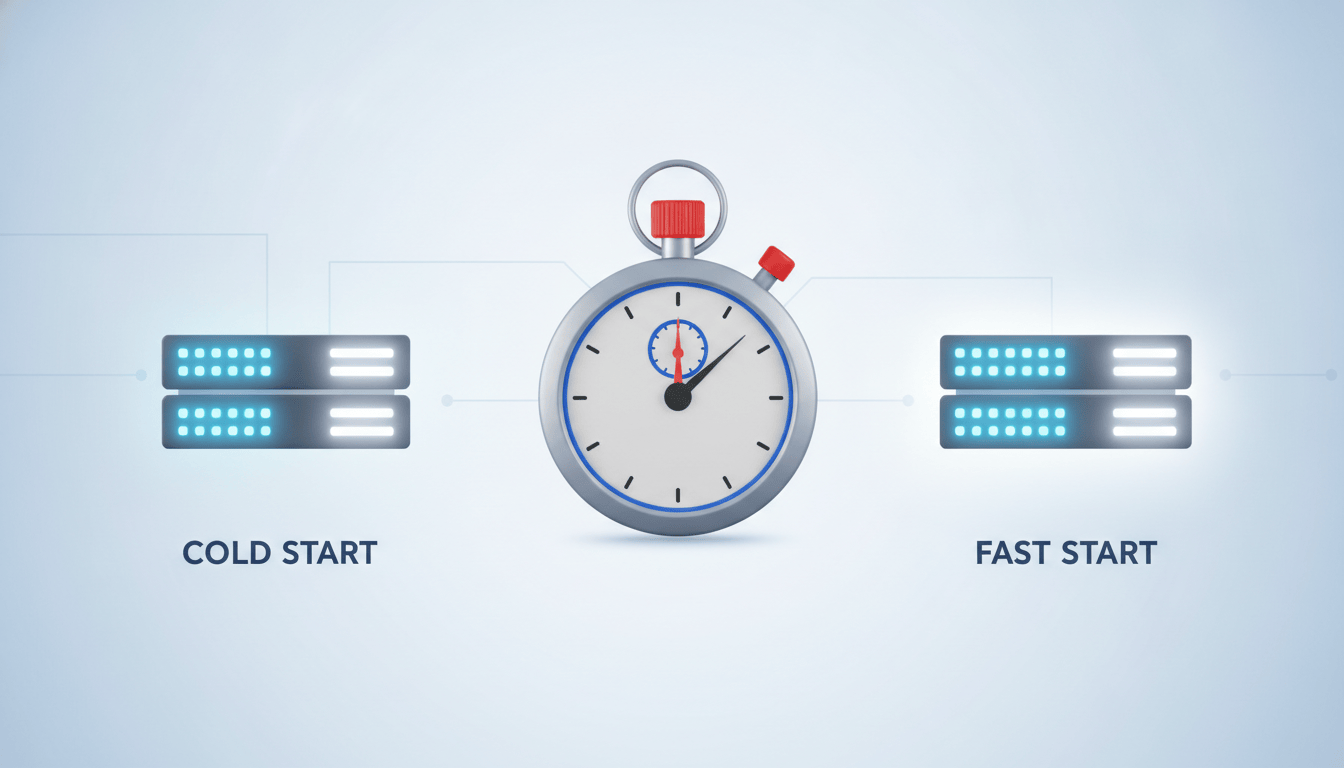
Reading the AWS Lambda preview runtime comparison correctly
A slower cold start on the preview runtime isn’t a red flag on its own — it’s the expected state of a runtime that hasn’t been through Lambda’s internal optimization pass yet, something AWS is explicit about in the preview runtime announcement. What you’re actually hunting for is behavioral difference: a dependency that parses differently under the new language version, a test that passes on GA and fails on preview, a third-party library that throws a deprecation warning it didn’t throw before. Those are the findings worth writing up and reporting, because they’re the ones that would otherwise surface for the first time on GA day, in front of an actual production workload.
Don’t stop at a single invoke, either. Cold starts vary run to run, so loop the invoke step five or ten times, force a fresh execution environment each time by tweaking an environment variable, and average the Init Duration values before drawing any conclusion. A single data point is an anecdote; a handful of samples across both runtimes is the beginning of an actual comparison you can put your name on in a findings doc.
It’s also worth checking whether your deployment tooling handled the whole exercise cleanly. If you’re on AWS SAM, confirm sam build and sam deploy picked up the runtime without complaint. Same goes for any CI step that lints or validates your Lambda configuration — a preview runtime is a good early test of whether your whole pipeline, not just your code, is ready for what’s coming. And keep an eye on the Lambda runtimes documentation during the process — AWS updates it as preview runtimes pick up new features or approach their GA date, so it’s worth a second look partway through your test window rather than only reading it once up front.
What you built
You now have a repeatable, side-by-side comparison rig: one function on the Node.js 26 preview runtime, one on the current GA runtime, both wired into the same test stage, both producing real CloudWatch data you can compare instead of guessing. Along the way you also confirmed the preview-runtime warning surfaces where your team will actually see it, exercised your real integration suite instead of a toy handler, and captured a written record of exactly where the two runtimes agree and where they don’t. That’s the exact setup you’ll want to rerun the moment Python 3.15 or the next preview runtime shows up — swap the runtime identifier, redeploy, and you’ve got a documented before-and-after ready well before anyone’s forced to upgrade on a deadline.
At Enkompass (enkompass.net), this is our home turf. We build event-driven, serverless systems — and we’re the ones testing next year’s runtime today so you don’t have to scramble tomorrow. If you’d rather have seasoned cloud people handle it instead of learning the hard way at 2 AM, let’s talk. Reach out through our contact page or call us directly at +1-828-436-5667 — we’ll help you turn this from a someday-project into a done-deal.